



Choosing a 4G intercom isn’t just about finding a system with enough call buttons.
The way an entrance is used, how many people need access, whether video is required, and how the site will be managed after handover all influence which system is the right fit.
Thinking about those requirements before choosing an intercom can make installation, commissioning and ongoing management much more straightforward.
Start with How the Entrance Will Be Used
A private driveway has different requirements from a block of apartments. A commercial site operates differently from a school or industrial estate.
Before looking at products, think about questions such as:
- How many people need access?
- Will the site grow in future?
- Is video required?
- Is Ethernet available at the entrance?
- Will access permissions need changing regularly?
Answering those questions usually makes choosing a system much easier.
How Many Users Need Access?
Not every installation stays as it started.
A single entrance might later serve multiple flats. An office building could become home to several businesses. A site that starts with a handful of users may need to support many more over time.
Choosing an intercom with the right capacity from the outset makes those changes much easier to accommodate.
Do You Need Audio or Video?
For many sites, reliable audio calling is all that’s needed.
Others benefit from being able to see who’s at the entrance before granting access, whether that’s a residential property, a shared building or a commercial site.
The decision isn’t about one being better than the other. It’s about matching the way visitors are identified to the way the site operates.
Is Ethernet Available?
If the project calls for an IP intercom, the NX1 and NX250 can connect using either Ethernet or a 4G data SIM, giving you flexibility to work with the infrastructure that’s already on site.
Where a traditional 4G intercom is the better fit, no Ethernet connection is needed, making it a straightforward option for sites where network infrastructure isn’t available.
Think Beyond Commissioning
Getting a system live is only part of the job.
The installation may be complete. The access requirements usually aren’t.
Residents move in and out. Staff change. Access permissions need updating. Temporary contractors require entry.
Every Commtel system supports remote management, allowing routine changes to be made without returning to site. That means installers can continue supporting customers long after the initial installation
Which Commtel System Fits Your Project?
Once you’ve worked through the site’s requirements, choosing the right system becomes much simpler.
Single Properties and Small Shared Entrances
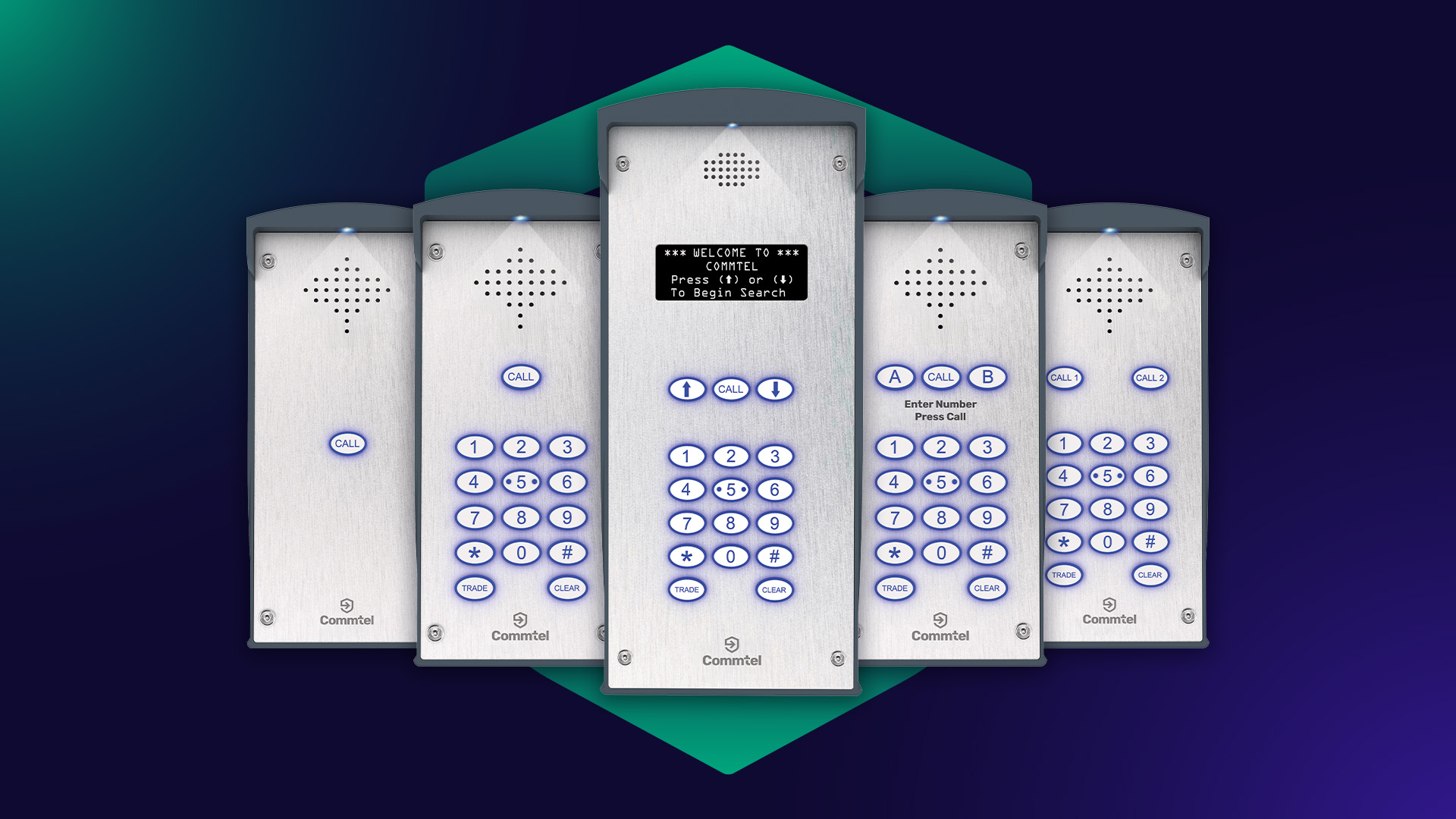
If you’re installing an intercom for a single property or a small shared entrance, systems such as the SOLO, SOLO+, DUO+ and TRIO+ provide everything needed for reliable visitor communication and managing access. The Optimus E1, E1K, E2K and E3K offer similar options through our distribution partners.
Growing Residential and Commercial Sites
Where more users need access, or the site may expand over time, systems such as the JUNIOR, VARIO, VARIO+, MILLENNIUM and SENIOR provide higher capacities and greater flexibility. The Optimus E10K, E100K and E500K are designed for similar multi-user applications.
Sites That Need IP Connectivity
If the project requires video calling, app-based management or an IP-based system, the NX range combines those capabilities with the flexibility to connect using either Ethernet or a 4G data SIM.
Choosing the Right System
The right intercom isn’t simply the one with the most features.
It’s the one that suits the way the site operates today while allowing for the changes that are likely to come later.
Taking the time to consider those requirements before selecting a system can make installation, commissioning and ongoing management far more predictable. And if you’d like to talk through a particular project, we’re always happy to help you choose the most suitable approach before work begins.
Older GSM intercoms relied on 2G or 3G mobile networks. Modern 4G intercoms use current mobile network technology, providing better long-term compatibility as legacy networks continue to be withdrawn.
Yes. Every Commtel intercom can be programmed and managed remotely without visiting the site.
Depending on the system, this can include adding or removing users, updating access permissions, changing entry codes and reviewing system activity remotely.
It depends on the type of system.
Traditional 4G Commtel intercoms use the mobile network for call handling, dial-to-open, SMS commands and remote programming. They do not require Ethernet or local broadband.
NX intercoms operate differently. The NX1 and NX250 are IP intercoms, so they need an internet connection. That connection can be provided by Ethernet or by a 4G data SIM.
This means an NX intercom can still be used where Ethernet is not available, provided a suitable 4G data connection is available on site.